Free appliance age finder
How Old is Your Appliance?
Enter the appliance brand and serial number from the rating plate. Add the model number if you have it, as some brands reuse their year codes and the model number helps narrow down the possible years.


Supported Appliance Brands
Appliance serial number lookup for 81 supported brands. Tap a brand for its serial number guide, or pick it in the form above.







































Mobile app
Scan the rating plate with your iPhone or Android phone
The free Appliage app finds the serial number and model number on the plate, then shows when your appliance was made and how the code was decoded.
Scan the plate or choose a photo
Choose the brand, then point the camera at the rating plate or pick a photo you already took. The text is recognized on your phone, and the photo stays there.
Check the numbers first
Compare the serial number and model number with the plate before the lookup runs.
Your lookups, saved
Earlier results stay in History on your phone. You can delete them at any time.
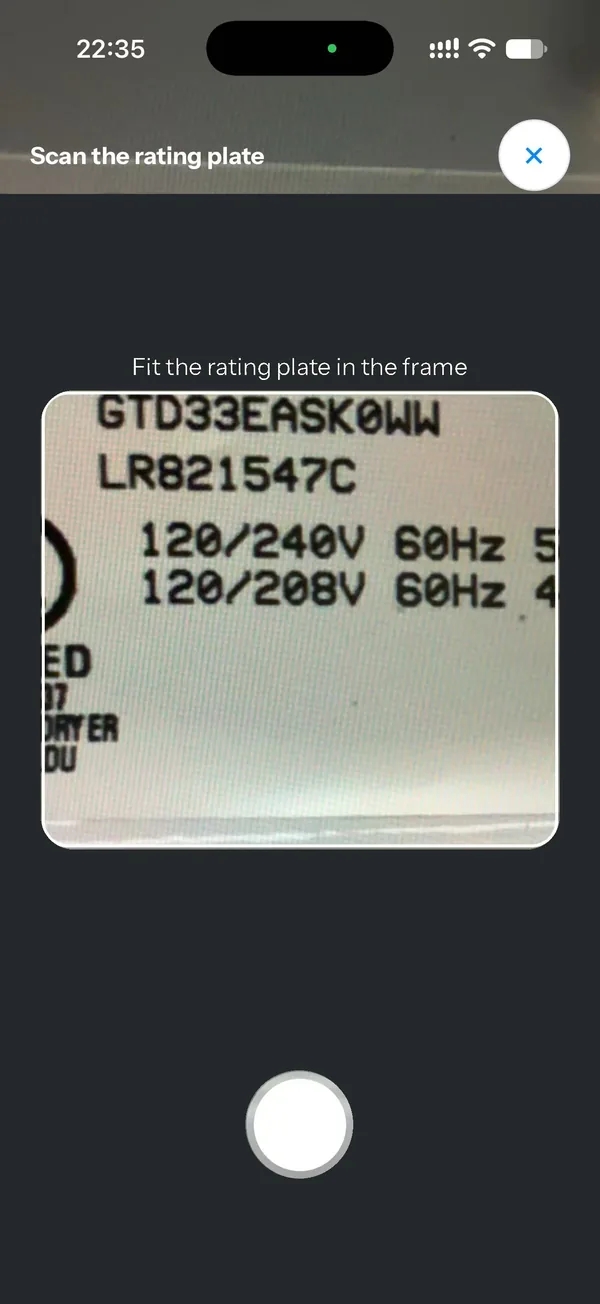
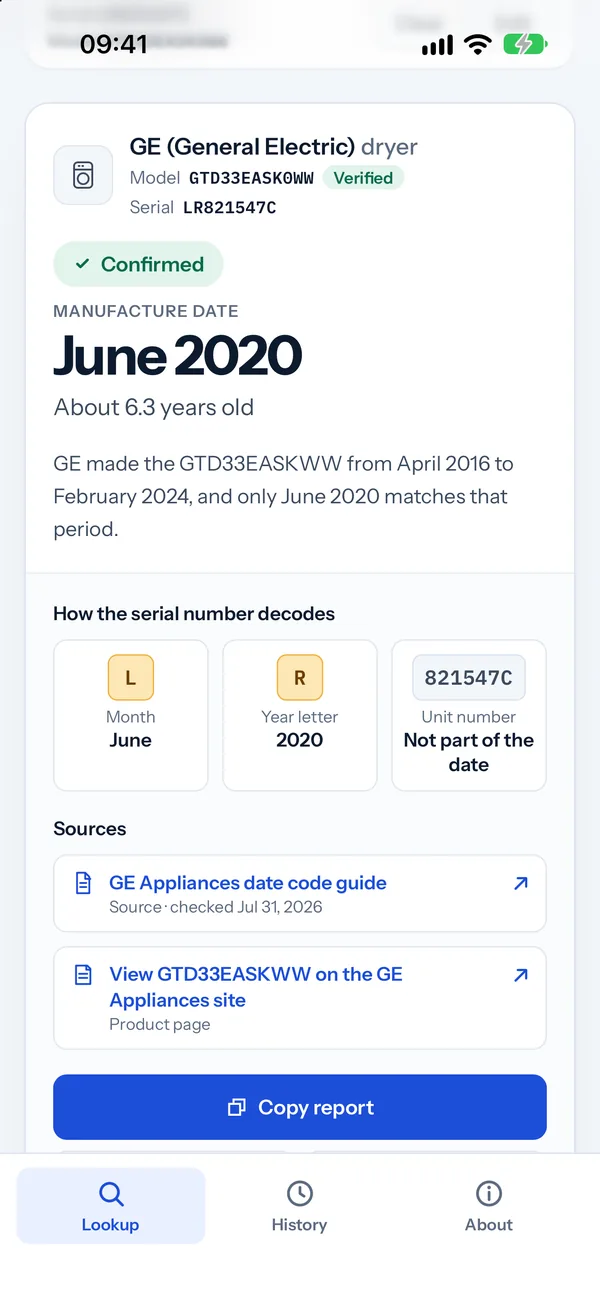
What your result looks like
Different Codes. Different Answers
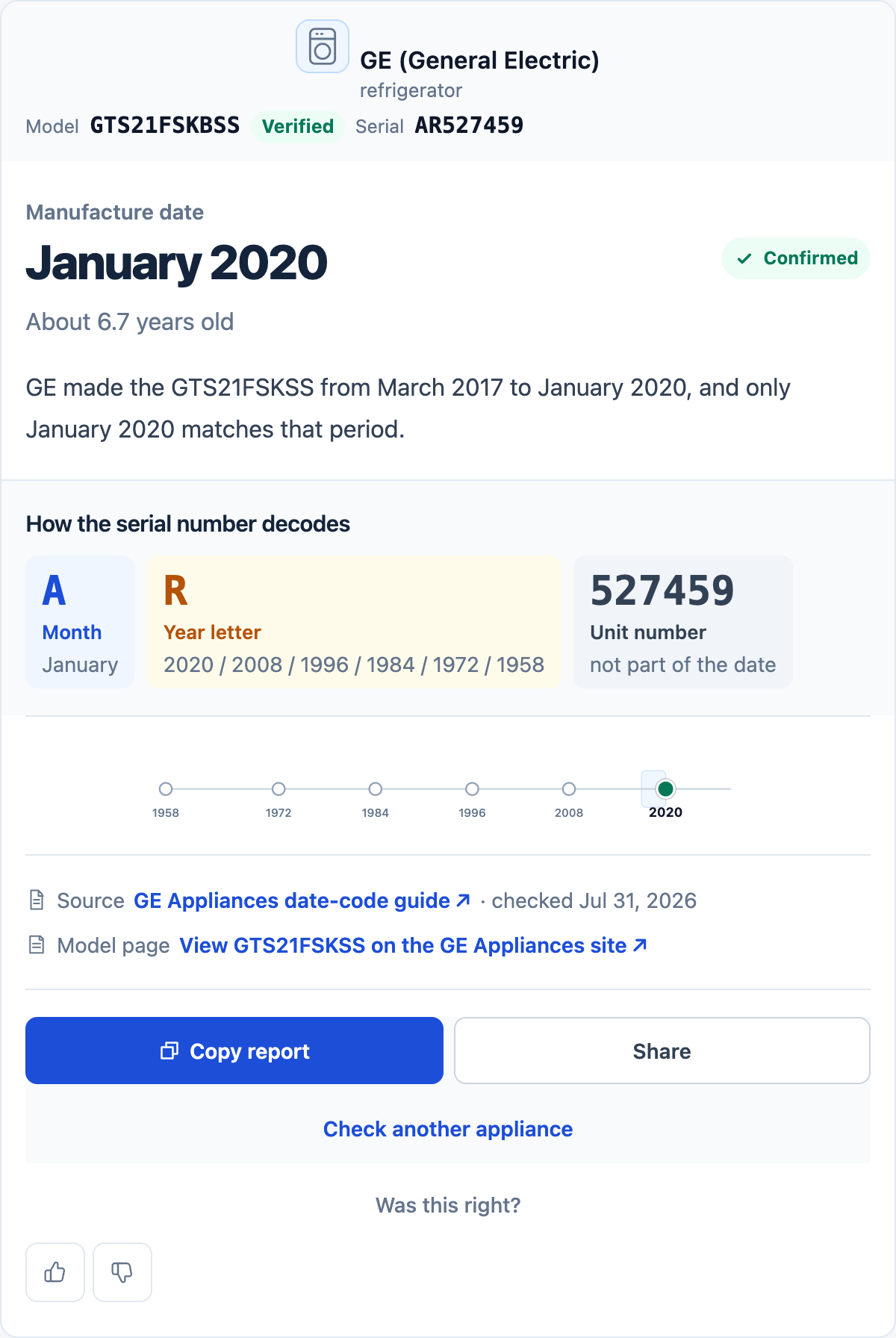
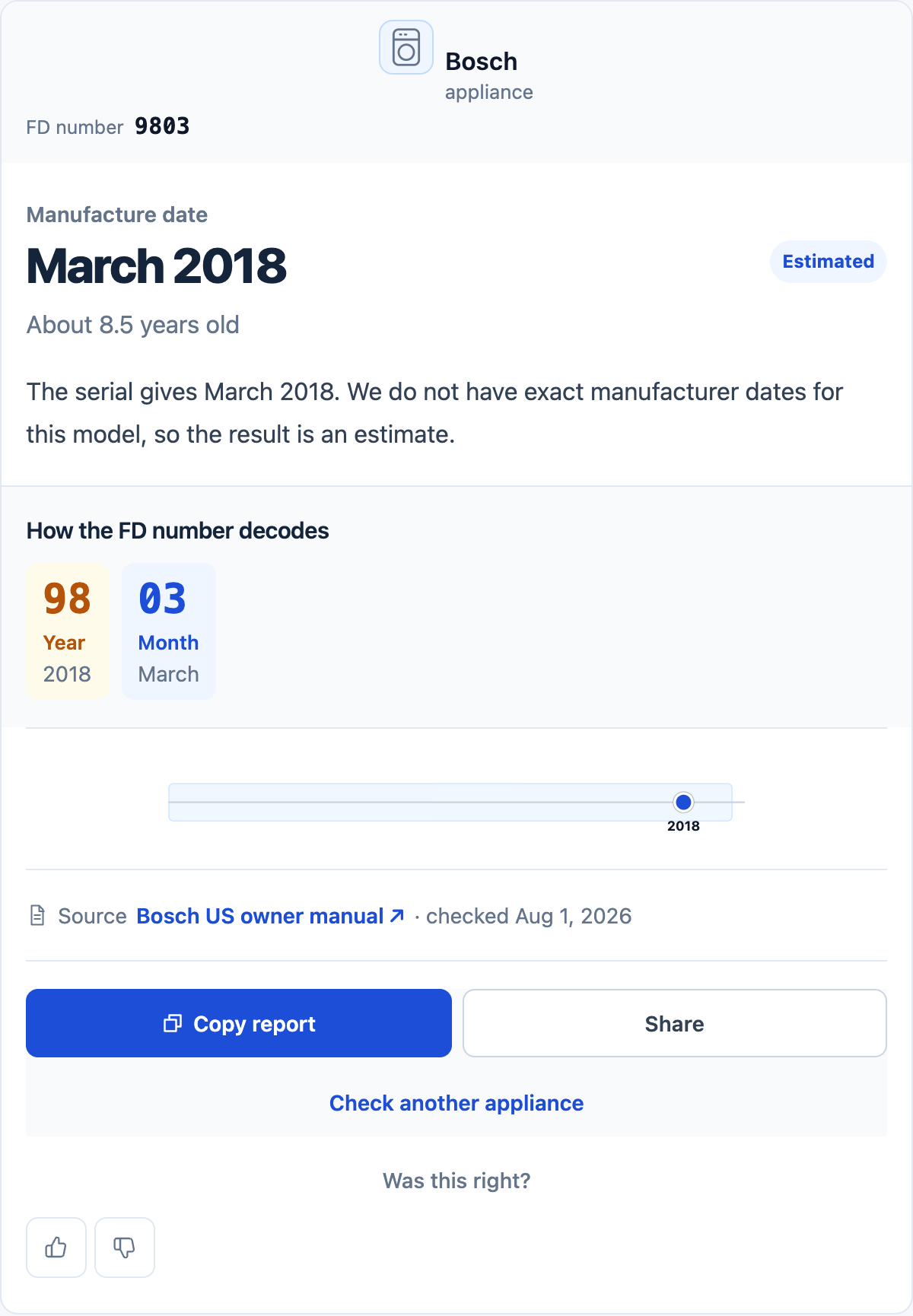
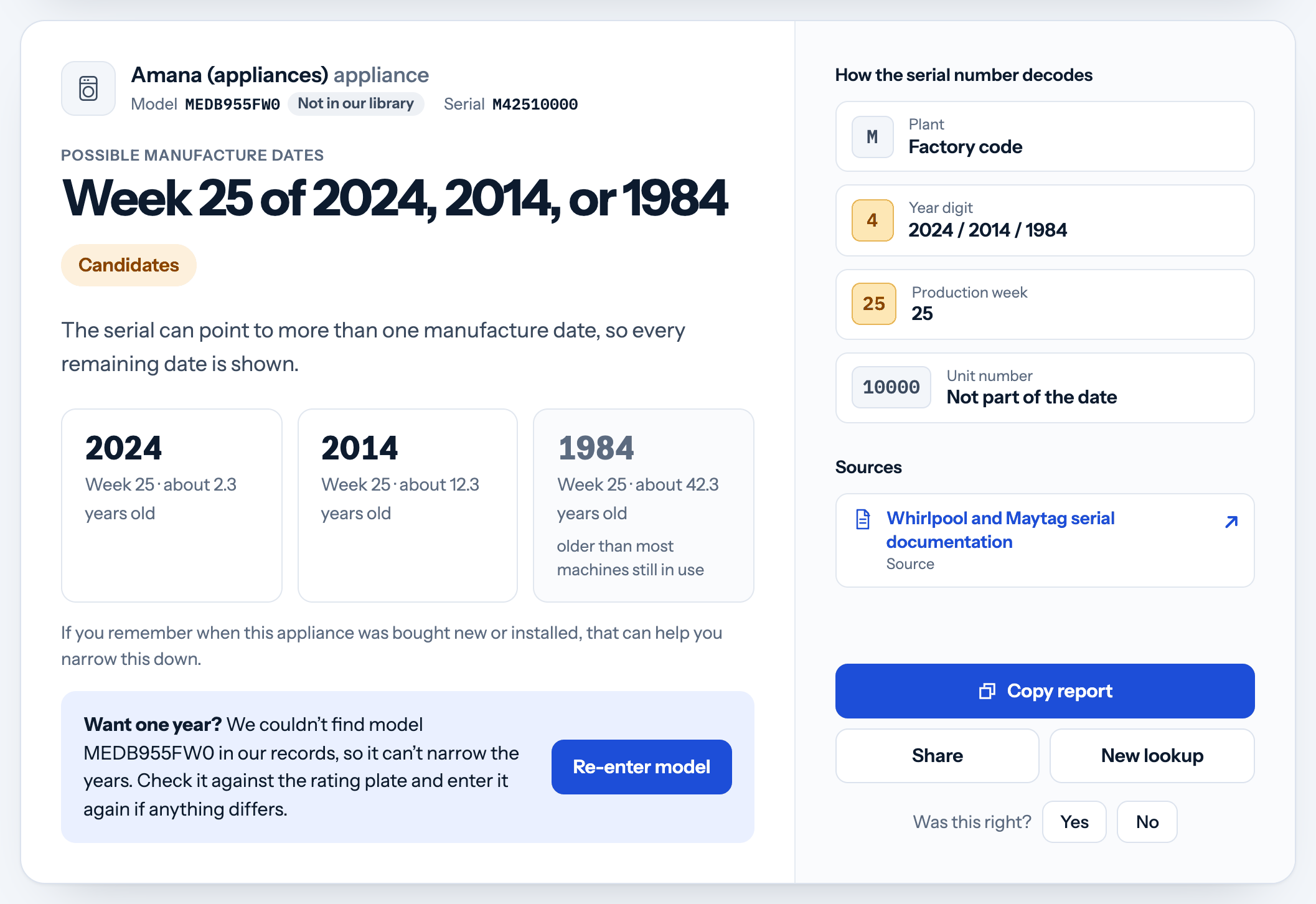
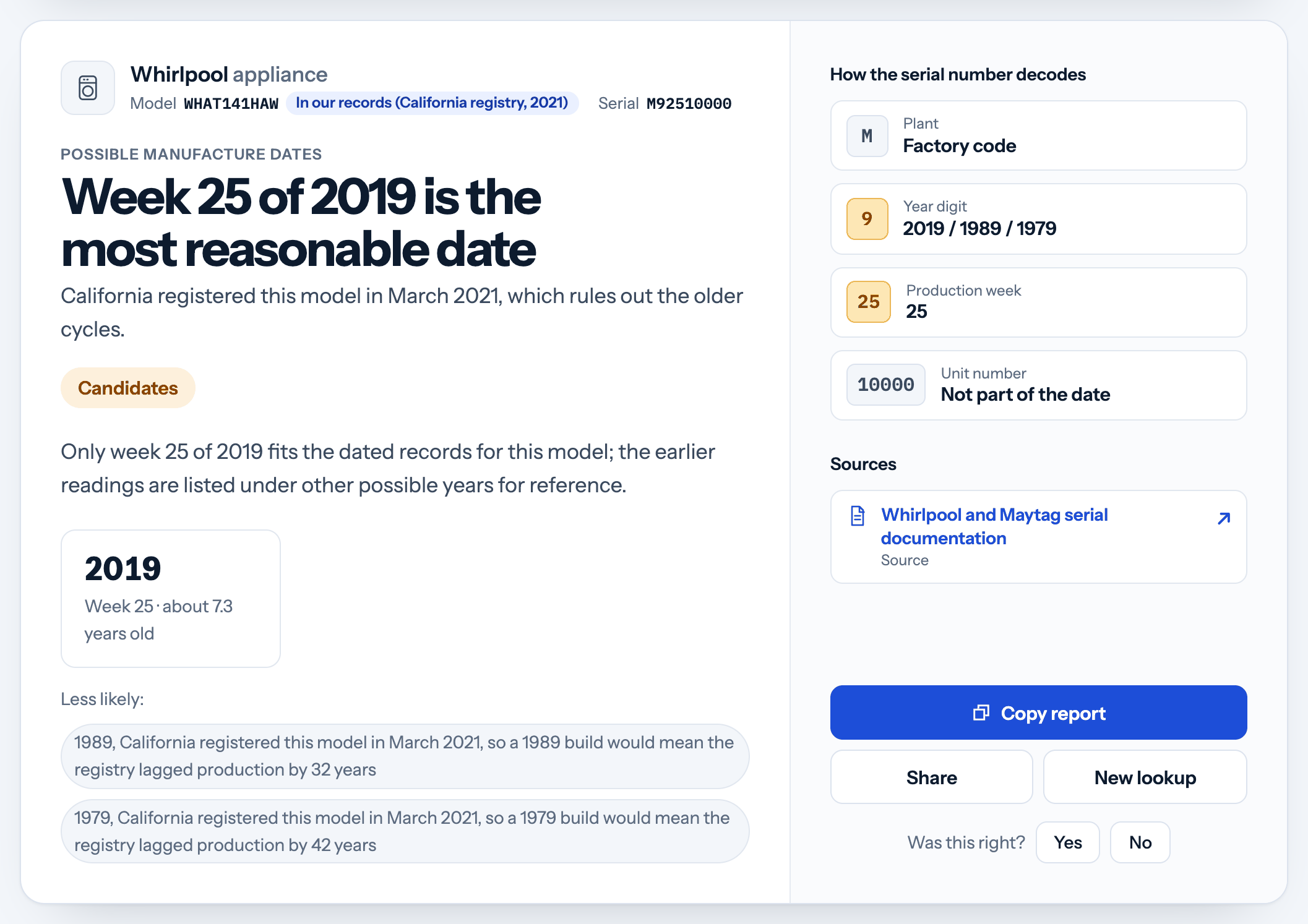
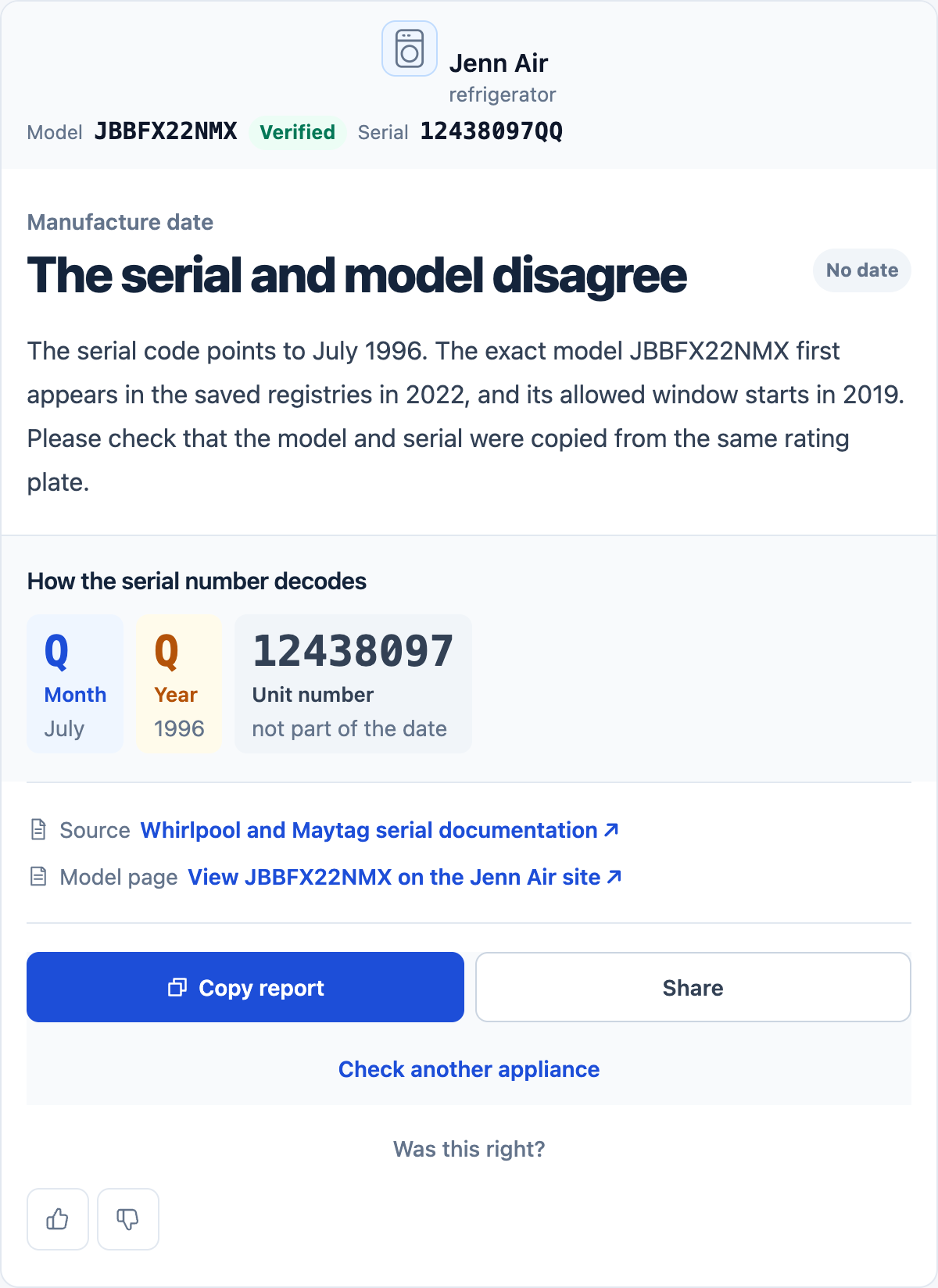
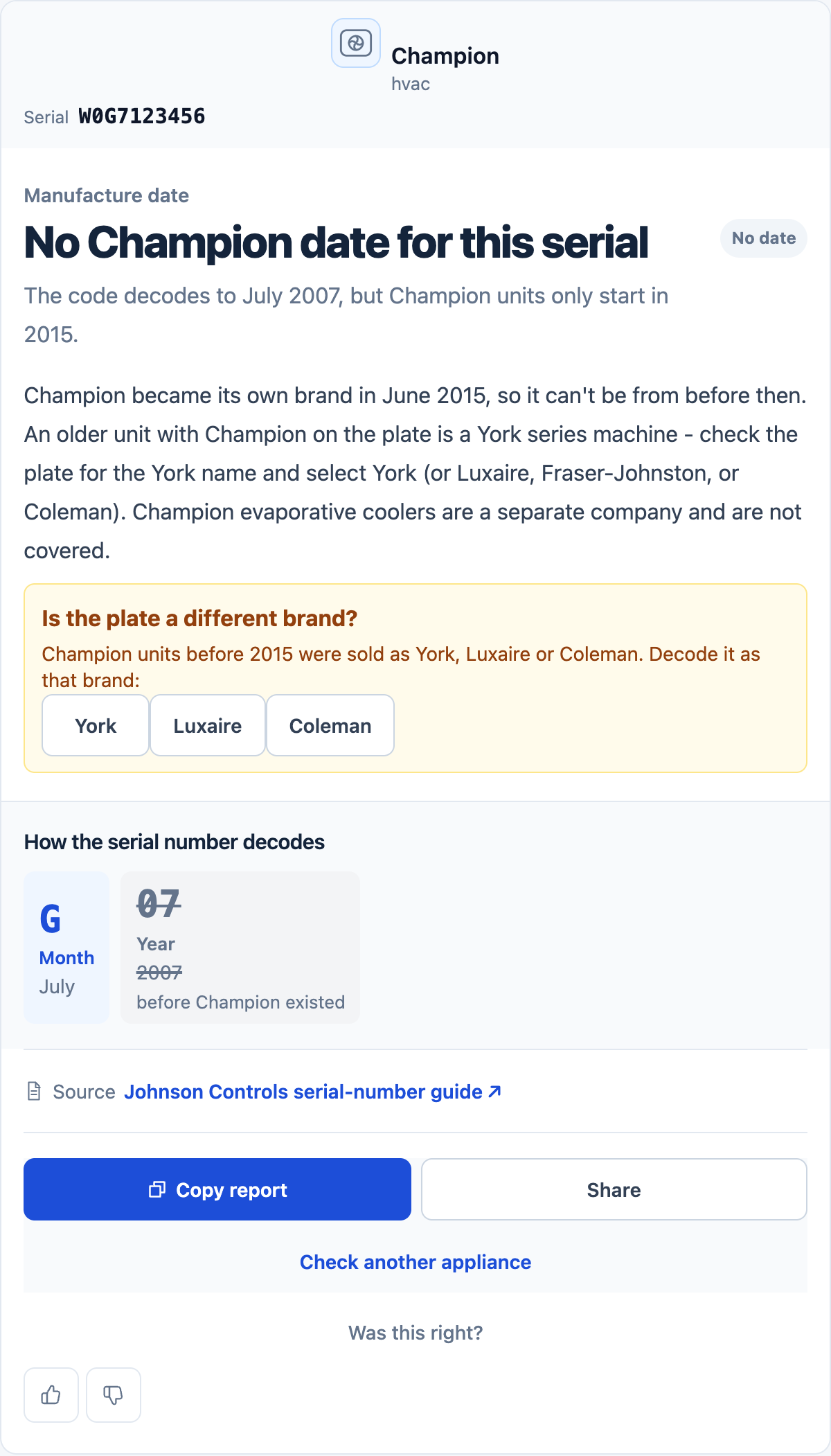
Here are six examples of the results you might see. Click an image to read the full result.
Get started
It starts with the label
- Step 1
Find the serial number
Look for the model and serial label on the machine. Copy every letter and number.
Around the door openingBack or sideBehind an access panel - Step 2
Add the model if you have it
For some brands, one year code can point to several years, so add the model number to help narrow them down.
AR527459GTS21FSKSS - Step 3
Read your result
See the date or possible years, with an explanation of how the code was decoded. If we can’t decode the serial number, we’ll explain why.
January 2020Confirmed
Our model records come from manufacturer product pages, catalogs and service documents, plus government energy records and certification directories. These records help identify a model and when it was available.
We use manufacturers’ date code instructions and service documents to decode the serial number.
We show a matching recall notice when one is available.
A few common questions
Before you look it up
Start with the serial number.
The model number is optional.
Where is the serial number?
Check the label around the door opening, on the back or side, or behind a removable access panel. The owner’s manual may show the exact label location.
Why does my result show several years?
Some brands reuse their year codes. Many GE year letters repeat about every 12 years. Add the model number so Appliage can check dated records for that model. If it still can’t narrow the date, the possible years stay in the result.
How far back does the lookup go?
It depends on the brand and serial format. Many brands cover machines made since the 1990s, and some go further back. Check the coverage for your brand.
What do the result labels mean?
Confirmed means the date is supported by the serial rule and manufacturer records. Estimated means we have selected a likely date, with the limitation explained in the result. Candidates means we haven’t selected a date, even if one looks more reasonable than the others.
Can this tell me whether to repair or replace it?
An age result is only one part of that decision. The fault, repair cost and condition of the appliance matter too. Age alone won’t tell you how much longer it will last.